
Inside the product
Screens from the working application. The competency matrix is the one most people want to see first, so it is at the top.
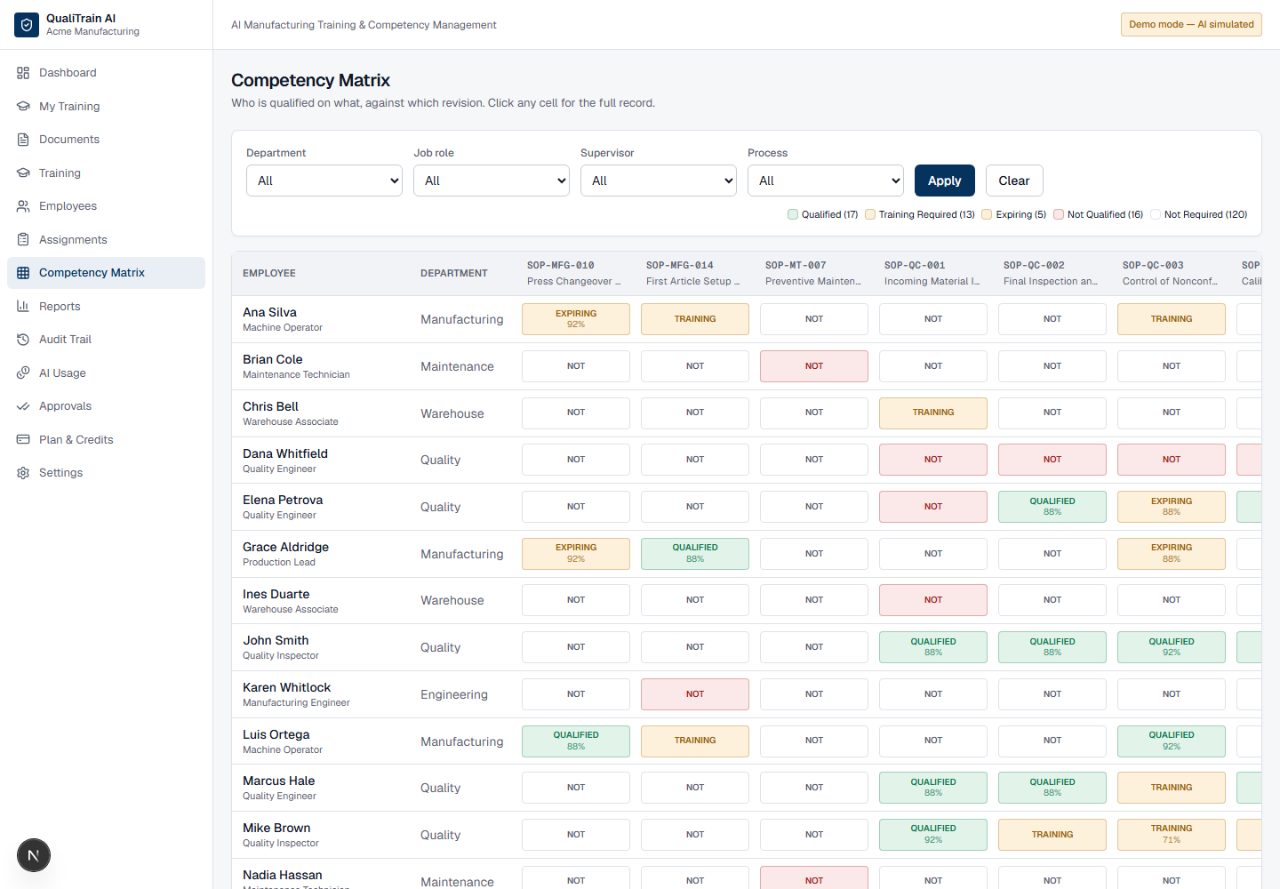
The competency matrix
Who is qualified on what, against which revision, and when it expires. Colour is always paired with a word — qualified, training, expiring, not qualified — so the matrix survives being printed in black and white for an auditor. Every cell opens the full record behind it.
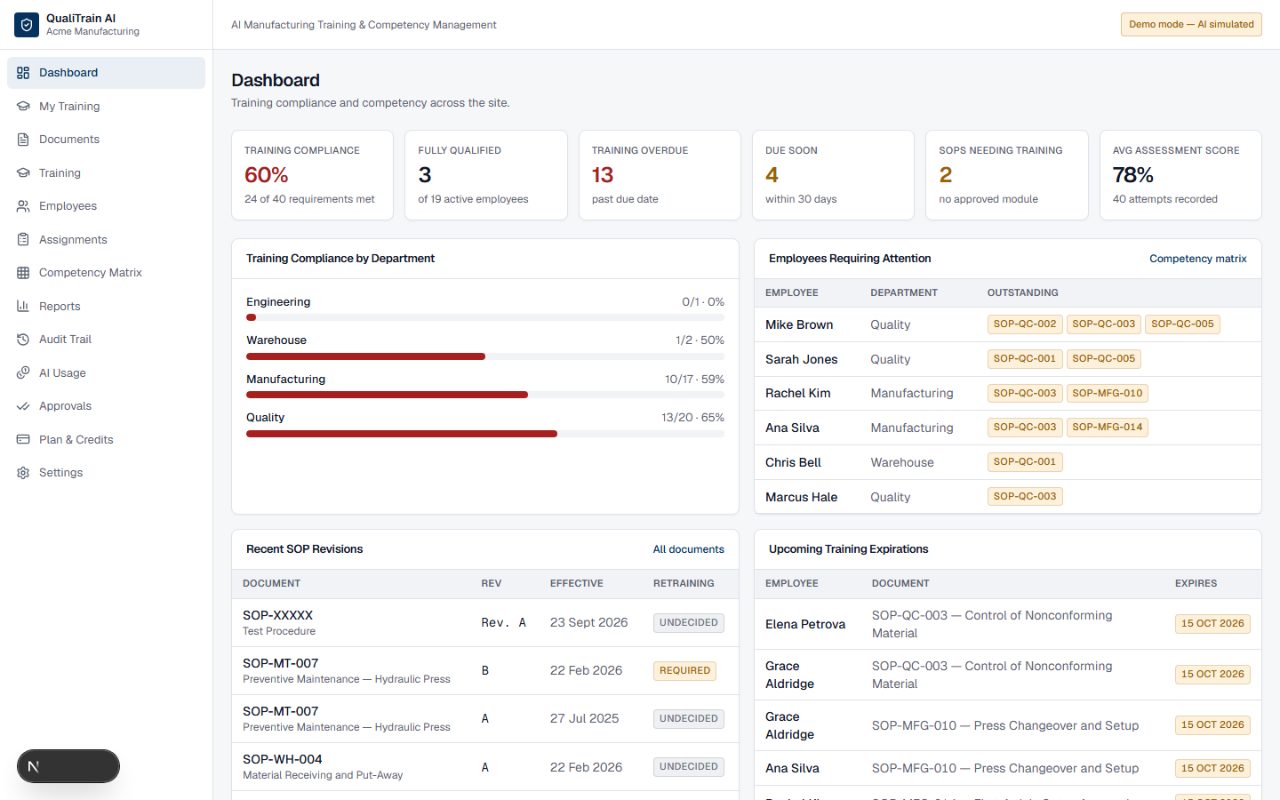
What needs attention today
Expiring qualifications, overdue training, documents whose latest revision has no approved training yet. The things that become audit findings if nobody looks at them.
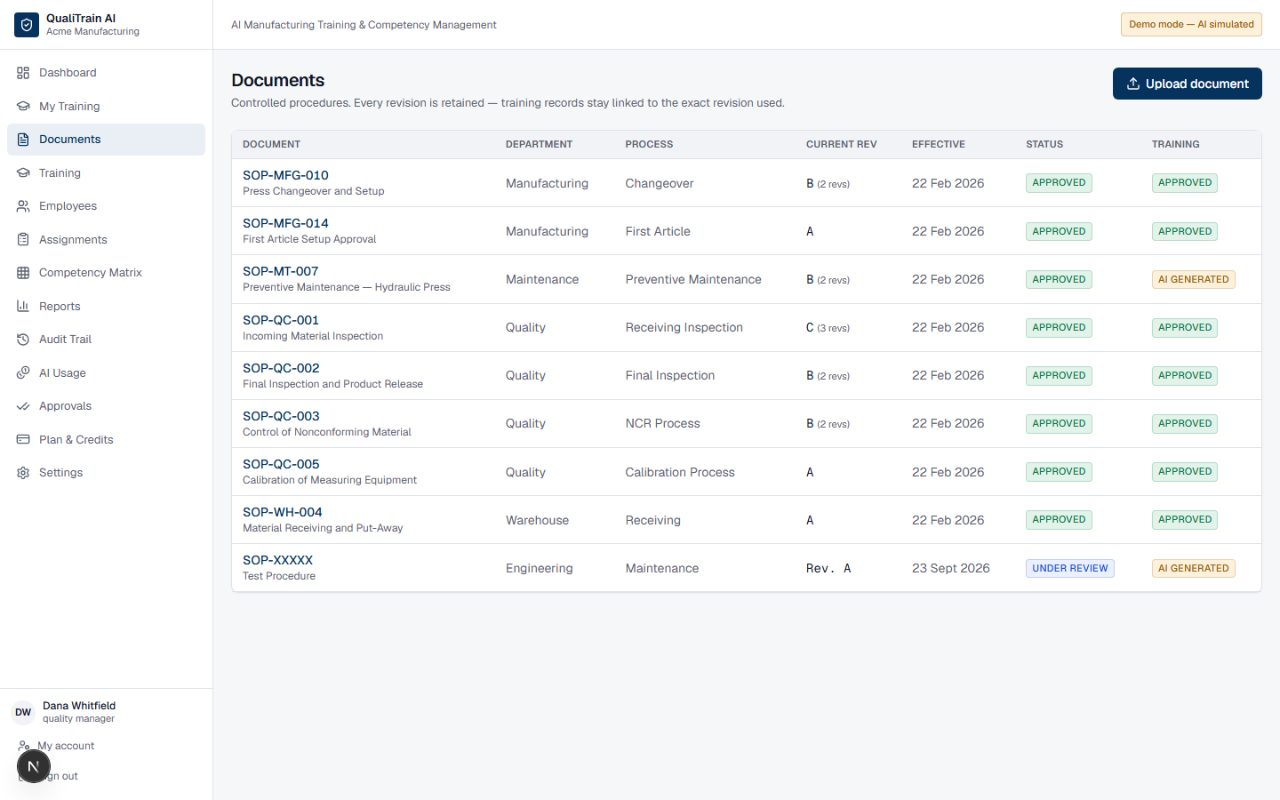
Controlled documents and their revisions
Every procedure with its revision history. Revisions are added, never overwritten, and each one keeps the training, assessments and competency records that were built against it.
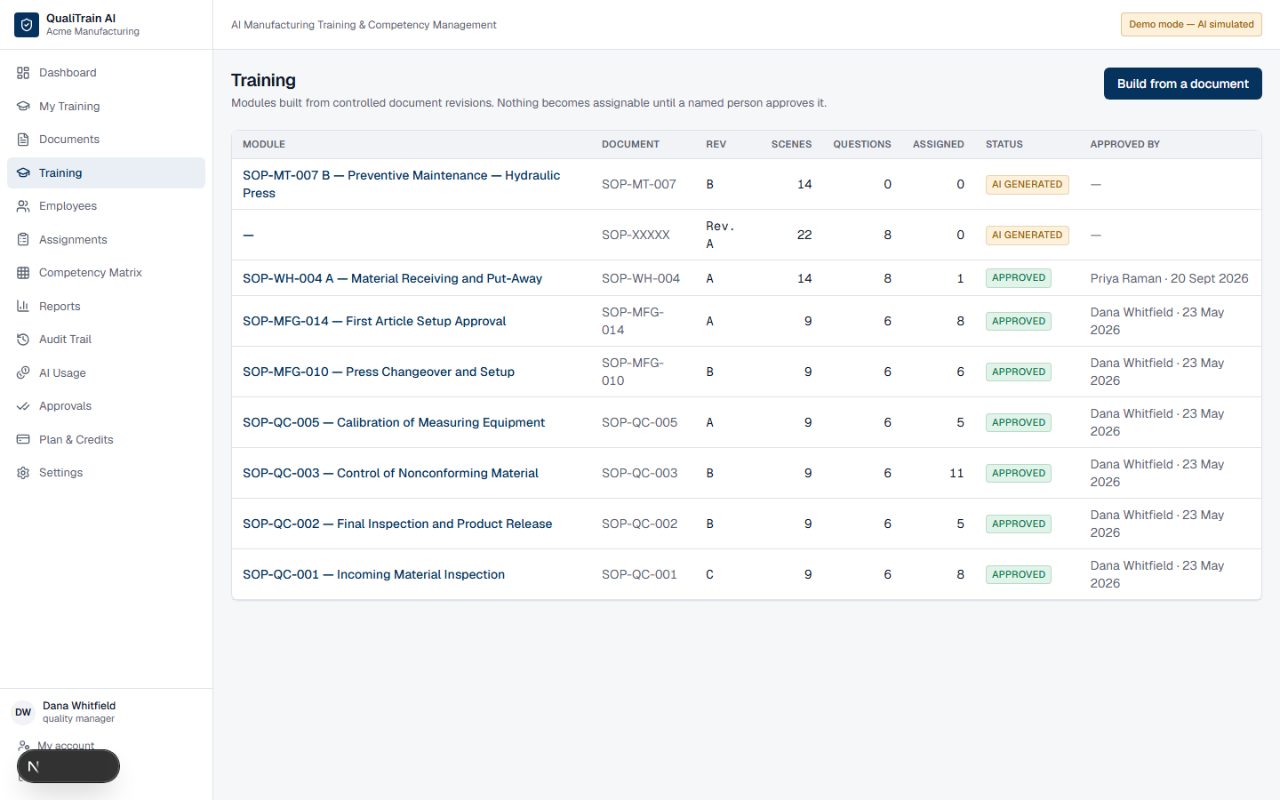
The training workspace
Storyboard, visuals, assessment and approval as separate tabs. A module stays a draft — unassignable — until a named person has reviewed every scene and approved it.
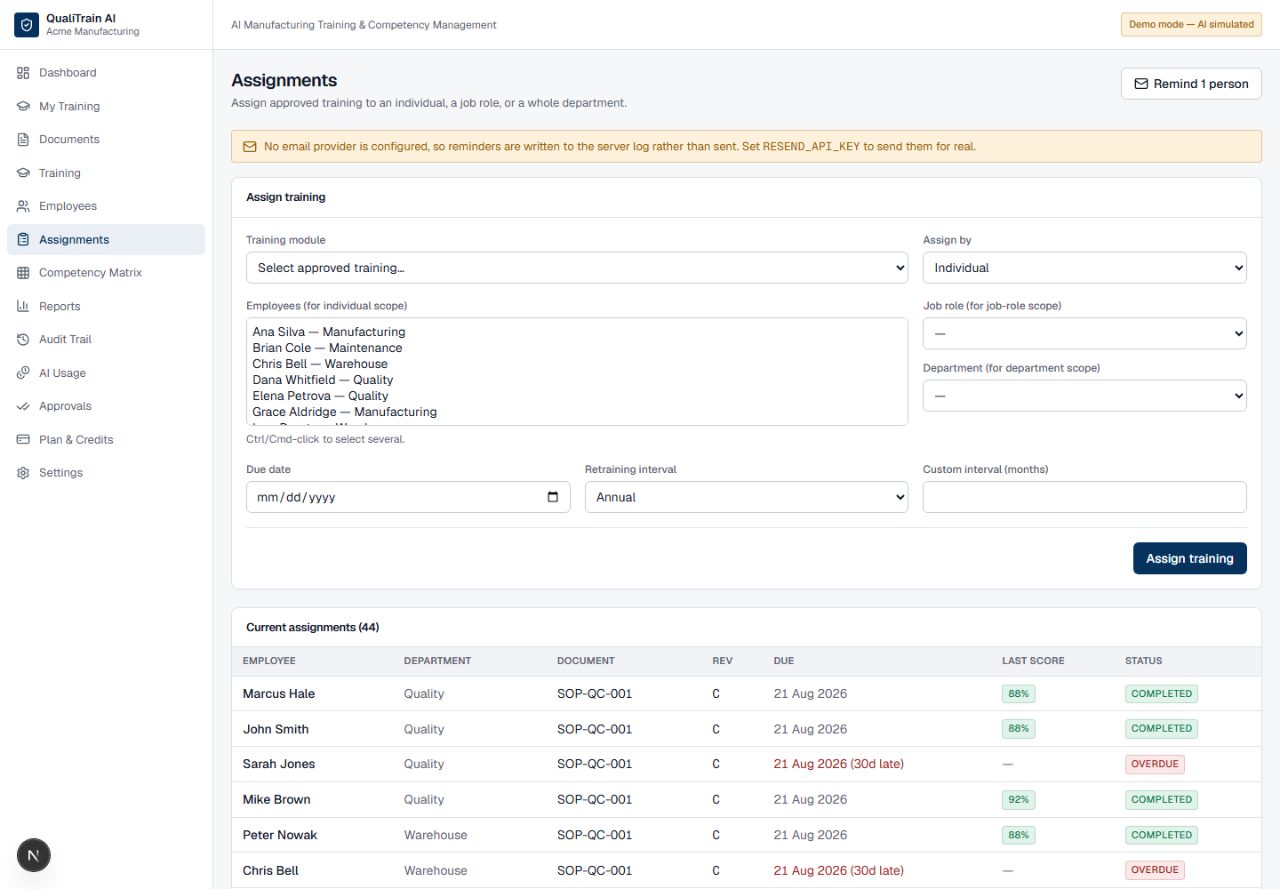
Assignments and reminders
Assign to a person, a job role or a whole department. Anyone whose training is overdue or due within the week can be emailed in one go, and the button says how many people that is before you press it.
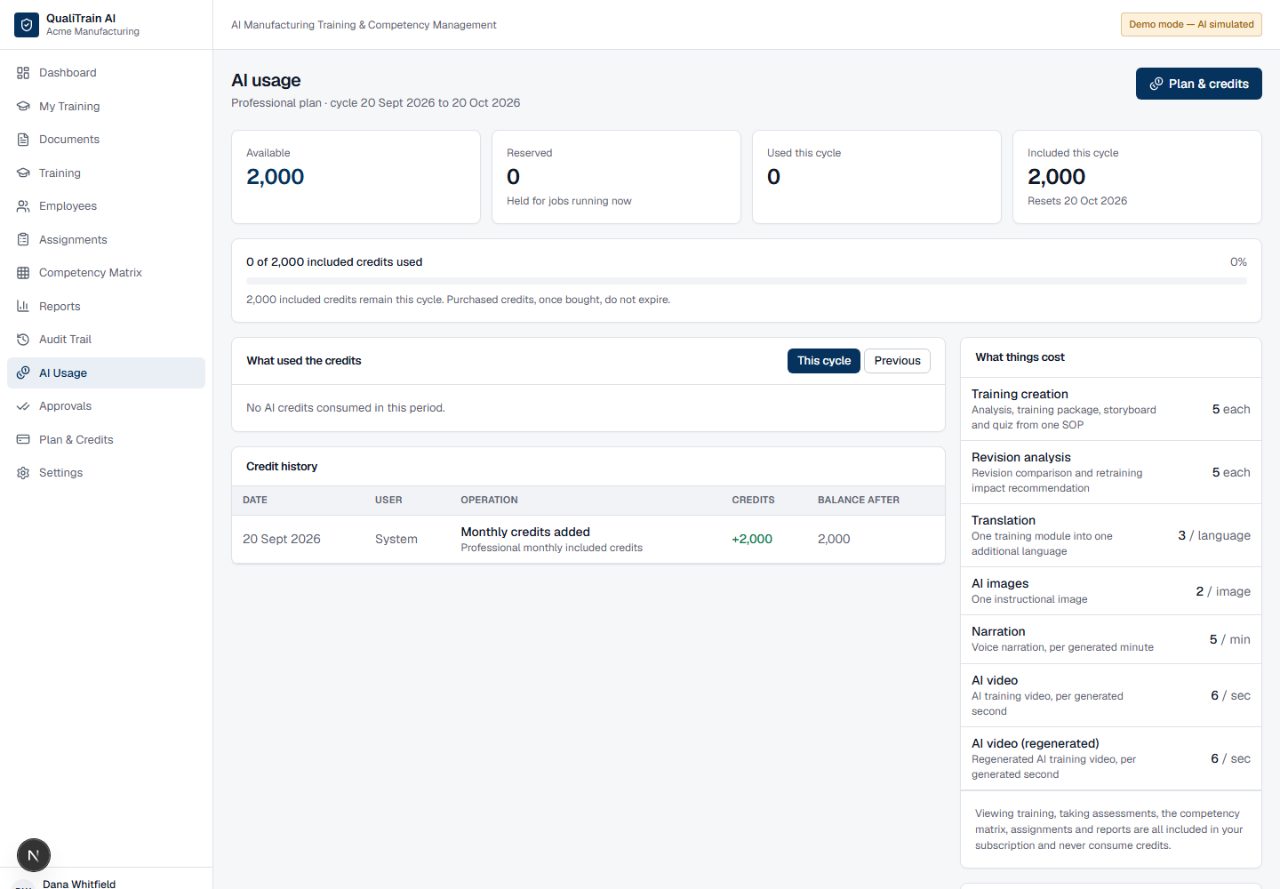
Where the credits went
Balance, what consumed it, what is held for jobs in flight, and when it resets. Failed generations appear too, showing zero charged — you are billed for output, not attempts.
Put one of your own procedures through it
The quickest way to judge it is on a document you already know well.
Request early access